ThemeKit - Themes & Widgets
ThemeKitPersonalization
4.64.33K Reviews
- Version
- 21.0
- Installs
- 50.00M
- Age Rating
- Teen
Screenshots
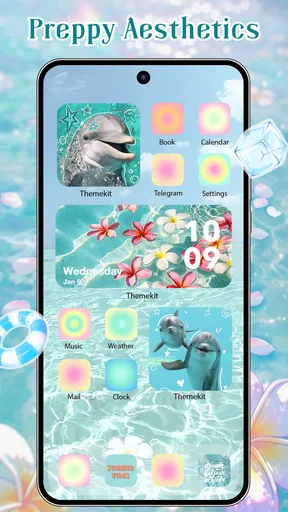
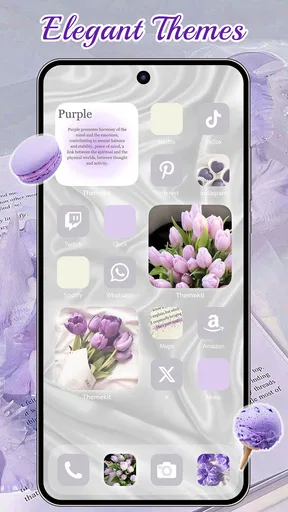
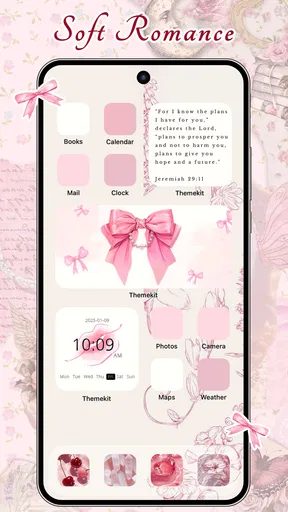
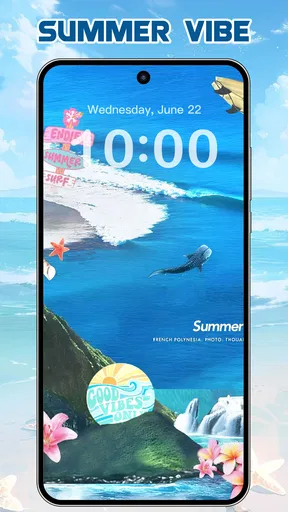
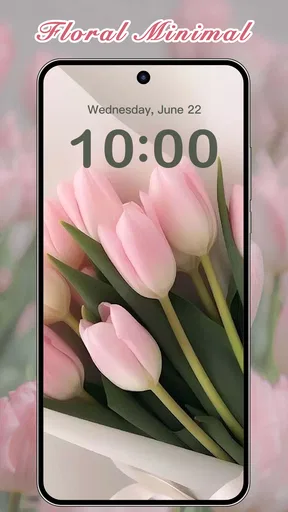
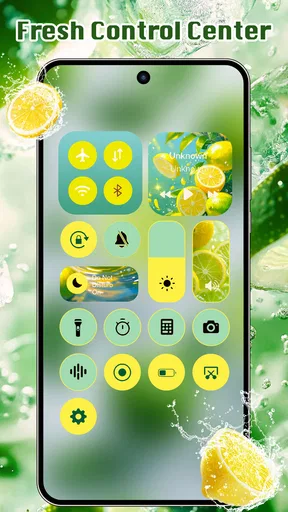
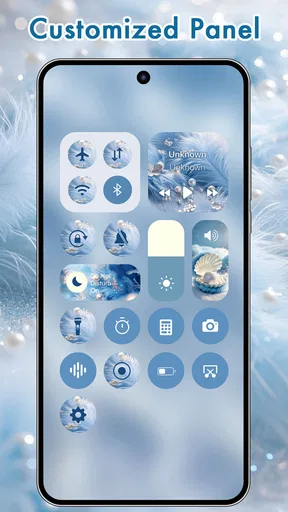
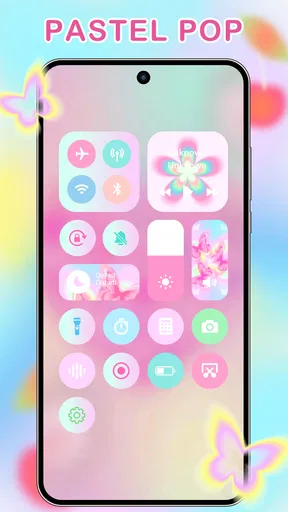
Our Review of ThemeKit - Themes & Widgets
 Analysis by Appyee
I tend to notice my phone’s home screen most when I’m waiting for something: the same icons, the same wallpaper, the same layout I stopped seeing months ago. That’s the kind of small boredom ThemeKit is meant to address. It’s a personalization app from ThemeKit, and its appeal is straightforward: give people a way to refresh the look of a phone without having to design every visual element from scratch. I find that promise useful when I want a change that feels noticeable but doesn’t involve replacing my usual apps or rebuilding my routines.
The choice is not only about finding a pretty image. A home screen works best when its wallpaper, icons and widgets look intentional together, and ThemeKit brings those pieces into one place. I’d treat it as a source of ready-made ideas and components rather than assume every theme will suit every device or personal taste. The key question for me is whether the visual options are worth the extra setup and permissions involved in changing how a phone looks.
What the customization experience is like
At first glance, the ThemeKit - Themes & Widgets app felt like a treasure trove of colorful possibilities. It’s available for both Android and iOS, which is a relief because sometimes you find a cool app, and it’s only for one platform. The app’s interface is pretty sleek. It’s clean and intuitive, making it super easy to navigate even if you’re not a tech wizard.
How themes, icons and widgets fit together
What really caught my eye were the vast themes and widgets available. They’ve got everything from minimalist designs to vibrant, artsy themes. You can tell the developers put a lot of thought into the variety they offer. Here’s a quick rundown of what you’ll find:
- Custom Widgets: Think clocks, calendars, and weather updates, all tailored to fit the theme you choose. It’s like having a personal assistant that looks stylish!
- Icon Packs: You can even change up your app icons to match your theme. It’s those little details that make your phone look super cohesive.
- Wallpapers: A plethora of HD wallpapers that complement each theme. You won’t run out of options anytime soon.
One cool feature is the ability to mix and match elements. You’re not locked into one theme, so if you like the icons from one and the wallpaper from another, you can blend them together. It’s like building your own masterpiece!
Making a setup that works in daily life
I’d start with the part of the screen I see most often, rather than changing everything at once. Pick a wallpaper first, then choose icons whose shapes and colors remain clear against it. A busy background can make small app symbols harder to spot, even if the combination looks striking in a preview. If you use a widget, give it a practical job: a clock or calendar earns its space more readily than a decorative block you rarely glance at.
That order also makes it easier to judge whether a theme is comfortable after the novelty wears off. Try the wallpaper and a few icons before committing to a complete makeover, then add more elements if they genuinely improve the screen. Mixing components is a useful escape hatch when a packaged theme is almost right but one part clashes with your habits. For example, I might keep a restrained background and borrow a brighter icon style, instead of accepting a vivid set that makes the whole home screen feel crowded.
A realistic use case is changing the phone before a busy week. I’d choose a calm background, keep the apps I need easy to recognize, and use a widget only if it puts information I check often in a convenient place. That makes personalization serve a routine rather than become another project. Someone who enjoys building a coordinated visual identity will probably spend longer browsing; someone who just wants a cleaner screen can stop after a small, deliberate change.
Setup, permissions and what to check
Setting up ThemeKit is a breeze. Once you download and install it, you’ll be prompted to allow some permissions. Don’t worry, it’s all pretty standard stuff to ensure the app can apply changes to your home screen. After that, you dive straight into the fun part—choosing your first theme. The app guides you through each step, so there’s no guesswork involved.
I would still read each permission prompt instead of treating “standard” as a reason to approve everything automatically. The exact access a phone requests can depend on the device and the action you’re trying to take, so the sensible approach is to check the wording on your own screen and allow only what makes sense for that task. If an explanation is unclear, pause before proceeding and review the app’s permission controls in your device settings. That’s a practical habit for any personalization tool, especially one that asks to affect the appearance or behavior of the home screen.
There is a difference between choosing a wallpaper and giving an app broader access to a device feature. I’d pay particular attention when moving from browsing designs to setting up widgets or applying icon changes, because those steps may involve different prompts. A request should be considered in context: what are you trying to do, what does the prompt say, and can you continue without granting it? This keeps the decision in your hands without assuming anything about how the app handles information behind the scenes.
If you change your mind later, the first place I’d look is the phone’s own app-permission settings, where available controls are managed at the device level. I’d also check whether the selected wallpaper, icons or widgets can be removed or replaced through the app’s setup flow or the home-screen options on the phone. Keeping the original look in mind before a large change makes it easier to reverse course; taking a moment to note which elements you changed can save time if you decide to restore a familiar layout.
Performance and practical trade-offs
Performance-wise, ThemeKit runs smoothly. I didn’t experience any lag or crashes, which is a huge plus. The themes load quickly, and applying changes takes just a few seconds. What’s even better is that it doesn’t drain your battery. I was a bit worried about that, but it seems the developers have optimized it well.
In everyday use, I’d judge a setup by more than how quickly it applies. Can I still find my most-used apps at a glance? Do the icon designs remain legible against the chosen background? Does a widget add information I actually use, or does it take up screen space for decoration? These checks matter because a coordinated screen can look appealing while making ordinary tasks less convenient. If that happens, simplify the design rather than assuming more customization is automatically better.
ThemeKit is free to download, with optional in-app purchases ranging from $0.29 to $34.99 per item. That makes it possible to explore without paying upfront, but I’d look closely at what is offered before making a purchase and decide whether a particular item adds enough value for me. Costs can matter if you are browsing casually and tempted by several separate designs. A useful personal limit is to settle on the look you want first, then consider spending only on a specific element you expect to keep using.
The app is rated Teen, and its current version is 19.5. It was released on September 9, 2022, and supports Android 6.0 and later. Those details help set expectations about compatibility and suitability, but I’d still check how the app behaves on my own phone, especially if I rely on a particular launcher or home-screen arrangement. Personalization can vary across devices, so a design that looks straightforward in one setup may need a little adjustment in another.
Trust, choice and the wider audience
ThemeKit has a 4.7 average from around 625,000 ratings, with about 3,700 written reviews, and it has been installed over 50 million times. Those figures suggest that many people have tried it, but popularity alone doesn’t answer every question a cautious user might have. I wouldn’t treat ratings as proof of a particular privacy practice or as a substitute for reading the permissions shown on my own device. For me, trust comes from understanding the choices presented and deciding whether each one fits the feature I want to use.
As a personalization app, it is best suited to people who enjoy visual control and don’t mind spending a little time comparing styles. The mix-and-match approach is especially useful if you like pieces of several designs but dislike being locked into one complete look. It can also suit someone who wants a quick seasonal refresh or a more consistent set of icons without creating all the artwork themselves.
It may be a poor fit if you prefer a plain home screen, want every change handled only through built-in phone settings, or find browsing lots of visual choices tiring. Someone who only wants a new background may be better served by the wallpaper options already on their device. Likewise, if your main goal is arranging widgets for function rather than appearance, your phone’s built-in tools may be enough. ThemeKit’s strength is the combination of visual elements, so it makes less sense when you have no interest in coordinating them.
Compared with the usual alternatives, the built-in personalization tools on a phone can be more direct for a simple wallpaper or basic layout adjustment. A dedicated icon or widget app may be a better choice if you want to focus narrowly on one kind of customization. ThemeKit is more appealing when you want to browse several kinds of visual component together and then combine them selectively. The trade-off is that a one-stop collection still requires you to evaluate each element and how it fits your phone, instead of assuming a packaged theme will be perfect as-is.
Another thing I appreciate is the community aspect. Users can share their creations, which means you can draw inspiration from others or show off your own unique setups. It’s like a never-ending stream of creativity.
I’d use shared creations as a starting point, not a prescription. A setup that looks polished in a preview may depend on a different screen layout or on habits I don’t share. Borrowing one idea at a time—perhaps a color palette or an icon style—makes it easier to adapt the inspiration to my own apps and priorities. It also helps avoid the common trap of copying an attractive arrangement that leaves the apps I use most buried or hard to distinguish.
Who should try it, and who should pass
Honestly, if you enjoy personalizing your tech, you’ll love this app. It’s perfect for those who get bored with their phone’s look easily. Plus, it’s a great way to express your personality. Whether you’re into sleek, modern designs or something more whimsical, there’s something here for everyone. And with regular updates, the content feels fresh and exciting.
My most practical recommendation is to treat the first session as a test, not a commitment. Pick one theme direction, apply only the pieces you want, and use the phone normally for a while. If you keep reaching for the same apps without hesitation and the screen still feels comfortable, the changes are working. If you find yourself searching for icons or ignoring a widget, remove the element that causes friction. That small trial makes it easier to tell the difference between a look you admire and a setup you actually enjoy living with.
Before installing, it is also worth asking what kind of change you want. If the answer is “I want my phone to feel like mine again,” ThemeKit’s range of coordinated choices may be a good place to explore. If the answer is “I need a specific utility” or “I want the fewest possible setup steps,” a built-in option or a focused single-purpose tool may be more efficient. I would choose based on the task, not on the assumption that a larger collection must be better.
A cautious final take
All in all, ThemeKit - Themes & Widgets is a fantastic app for anyone looking to revamp their phone’s aesthetic. It’s easy to use, packed with features, and offers endless customization options. So, if you’re in the mood for a little makeover, give it a shot. Your phone deserves to look as cool as you are!
My more measured view is that its value depends on how much you care about the home screen as a personal space. The ability to choose components separately is more useful than simply applying a complete look, because it lets you keep what works and discard what doesn’t. I’d recommend it to a friend who enjoys experimenting and is comfortable checking permission prompts and purchase choices carefully. I’d steer a friend who wants a no-fuss wallpaper change toward the simplest option already available on their phone.
Ready to try it out? You can find the download link on our website. Happy customizing!
Privacy and Permissions
See what permissions an app requests and how it handles your data.
- Identity
- find accounts on the device
- Contacts
- find accounts on the device
- Location
- approximate location (network-based)
- Phone
- read phone status and identity
- Photos/Media/Files
- read the contents of your USB storage, modify or delete the contents of your USB storage
- Storage
- read the contents of your USB storage, modify or delete the contents of your USB storage
- Camera
- take pictures and videos
- Microphone
- record audio
- Wi-Fi connection information
- view Wi-Fi connections
- Device ID & call information
- read phone status and identity
- Other
- view network connections, pair with Bluetooth devices, access Bluetooth settings, connect and disconnect from Wi-Fi, expand/collapse status bar, control flashlight, full network access, read sync settings, run at startup, set wallpaper, draw over other apps, control vibration, prevent device from sleeping, modify system settings, toggle sync on and off, set an alarm, install shortcuts, uninstall shortcuts, Google Play license check
Verdict
Strengths of ThemeKit - Themes & Widgets
- Wide variety of themes to customize your device.
- User-friendly interface for easy navigation.
- Regular updates with new themes and widgets.
- Lightweight app that doesn't slow down performance.
- Compatible with most Android and iOS devices.
Limitations of ThemeKit - Themes & Widgets
- Contains ads that may interrupt usage.
- Limited free themes; premium options cost extra.
- Occasional glitches with certain widgets.
- Some themes are not optimized for all devices.
- Requires internet for downloading new themes.
Other Releases by ThemeKit
View All
ThemePro - Widget & Wallpaper
Personalization4.7
Similar Picks in This Category
View All
Microsoft SwiftKey AI Keyboard
SwiftKey4.3

Wallpapers
Google LLC4.1

Zedge™ Wallpapers & Ringtones
Zedge4.7

Yandex Browser with Alice AI
Direct Cursus Computer Systems Trading LLC4.3

Ringtone Maker:create ringtone
Big Bang Inc.4.7

Fonts Keyboard
Fonts Keyboard3.9
Frequently Asked Questions
What features does ThemeKit offer for customizing my device?
ThemeKit provides a wide range of customization options, including themes, widgets, and icon packs. Users can personalize their home screens with various aesthetic styles, from minimalist to vibrant themes. The app also allows for easy customization of widgets for weather, clock, and calendars, offering a unique way to enhance your device's appearance.
Is ThemeKit compatible with all Android and iOS devices?
While ThemeKit is designed to work on a wide range of Android and iOS devices, compatibility may vary depending on the device's operating system version and specifications. It's recommended to check the app requirements on the download page to ensure it can run smoothly on your specific device model.
Does ThemeKit require any special permissions to function properly?
Yes, ThemeKit requires certain permissions to provide full functionality. These may include access to storage for saving themes, internet access for downloading new content, and permission to modify your home screen layout. These permissions ensure that the app can deliver a seamless and personalized user experience.
Is there a cost associated with using ThemeKit, and are there in-app purchases?
ThemeKit is available for free download, offering a variety of basic themes and widgets at no cost. However, it also includes in-app purchases for premium themes and additional customization options. These purchases allow users to access exclusive content and further personalize their devices beyond the free offerings.
How user-friendly is ThemeKit for someone new to phone customization?
ThemeKit is designed with user-friendliness in mind, featuring an intuitive interface that guides users through the customization process. Whether you're a newcomer or a seasoned customizer, the app provides easy-to-follow instructions and previews, making it accessible for anyone looking to enhance their device's look and feel.
